
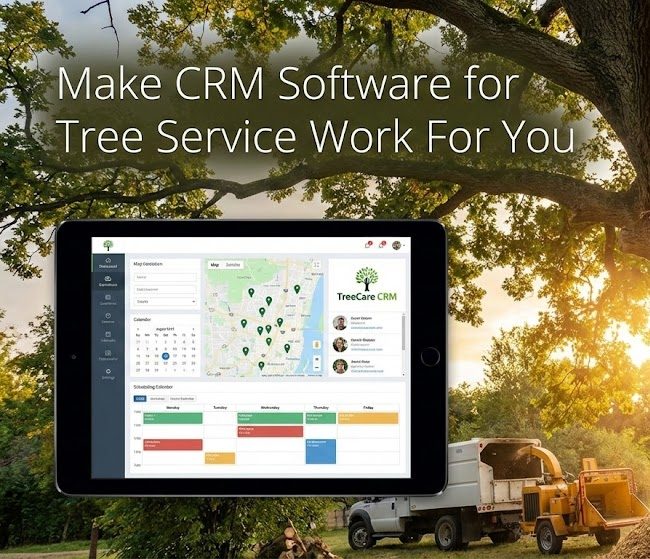
CRM software for tree service is no longer a fancy extra for big companies. It is fast becoming a basic tool for any tree care business that wants to grow, stay organized, and stop losing money to chaos.
If you are tired of chasing down lost estimates, juggling texts from crews, and trying to remember which client has that big oak on the back property, CRM software for tree service is likely the missing piece. This technology handles the heavy lifting so you can focus on the trees.
You do not need to be a tech person to make this work. You just need the right setup and a clear plan to modernize your operation.
Got questions? We have answers. Schedule a short call with TreeCareHQ here.
What Is CRM Software for Tree Service Contractors?
- What Is CRM Software for Tree Service Contractors?
- Why Tree Services Struggle Without a CRM
- Core Features You Should Expect From Tree Service CRM Software
- How CRM Software for Tree Service Transforms Your Day
- Picking The Right CRM Software for Tree Service
- Marketing, Leads, And Data: The Growth Side Of CRM
- What About Setup, Learning Curve, And Cost?
- Advanced Use Cases As You Grow
- Common Questions About Tree Service Software
- Conclusion
What Is CRM Software for Tree Service Contractors?
CRM stands for customer relationship management. For a tree company, it is the central nervous system that holds your leads, customers, jobs, notes, and money details in one place.
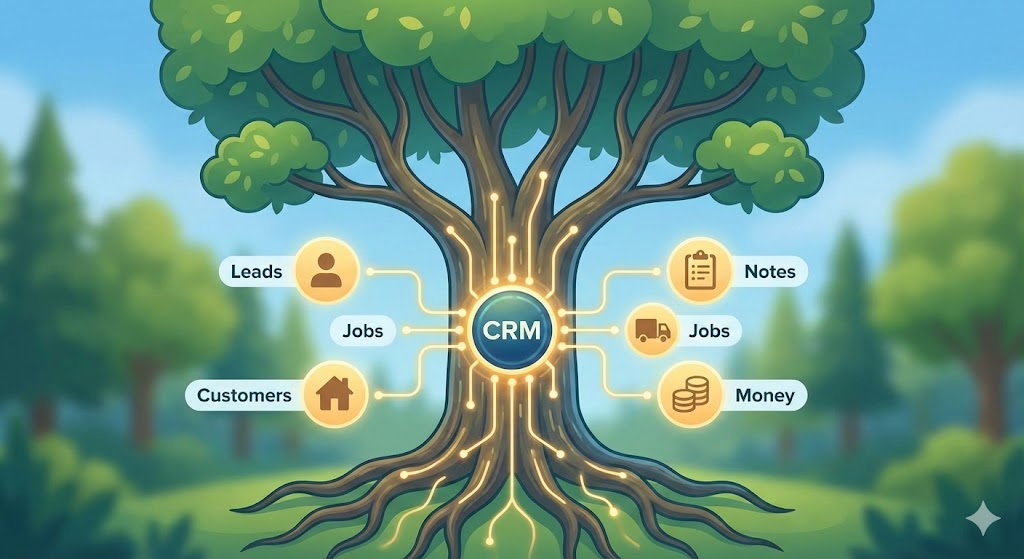
Instead of spreading your business across text messages, random notes, Excel sheets, and your memory, a good management software pulls everything together. It acts as a reliable hub for every piece of data your company generates.
Tree care specific tools like SingleOps, Arborgold, ArboStar, Arb Pro, and Jobber are built for exactly how you run your day. This type of arborist software understands the difference between a pruning job and a removal.
It is distinct from generic service software because it accounts for specific industry needs. Using a dedicated management platform simplifies the complexities of field work.
Why Tree Services Struggle Without a CRM
Most owners do not start a tree business because they love admin work. You like trucks, gear, and trees. Paperwork often falls to the bottom of the priority list.
That is where problems start to stack up. Without a solid business management system, details get lost in the shuffle.
Common Pain Points You Might Recognize
Operating without software creates friction. Here are issues many tree care businesses face daily.
- Leads slip through the cracks because callbacks get missed or delayed.
- Estimates sit in email drafts and never get sent, so the job goes to someone else.
- Crews show up without the right gear because notes were lost or never passed on.
- You underprice high-risk jobs because there is no clean history or job details to reference.
- Invoices get delayed, and so does cash flow.
If two or more of those hit home, your business is carrying more friction than it needs to. This unnecessary stress prevents you from scaling.
That friction costs you profit and time every single week. Adopting tree service software eliminates these bottlenecks efficiently.
Core Features You Should Expect From Tree Service CRM Software
Tree care focused systems build on the same basic tools most crm software platforms offer, then layer in what matters in the field. The best care software integrates office tasks with field realities.
Here are the core pieces to look for when shopping for a solution.
| Feature | How It Helps Tree Services |
|---|---|
| Client management | Central record for contacts, site notes, history, and communication. |
| Lead and estimate tracking | Capture requests, send quotes, track win rate and follow ups. |
| Scheduling and dispatch | Assign crews, set routes, adjust for weather and equipment. |
| Invoicing and payments | Send digital invoices and take card or ACH in the field. |
| Mobile field tools | Crews see work orders, take photos, and add notes on site. |
| Reporting and analytics | See which jobs, crews, or channels drive the most profit. |
Good tree service CRM Software connects your office, your sales, and your crews so everyone works from the same picture. A robust business management platform keeps everyone aligned.
How CRM Software for Tree Service Transforms Your Day
Let us walk through a typical job cycle and see how things change with the right system in place. A tree service CRM streamlines every step from the first call to the final payment.
1. Lead Capture And First Contact
A prospect finds you through search, social media, or a referral. They visit your site or call your number. They might even be looking for lawn care or pest control if you offer those services.
With the right CRM setup, that lead does not live in your phone log or your head. It goes straight into your system using a web form or manual entry.
- Online forms create a lead automatically with their address and notes.
- Phone calls can be logged directly to that contact record.
- Automated email responses confirm you received their request instantly.
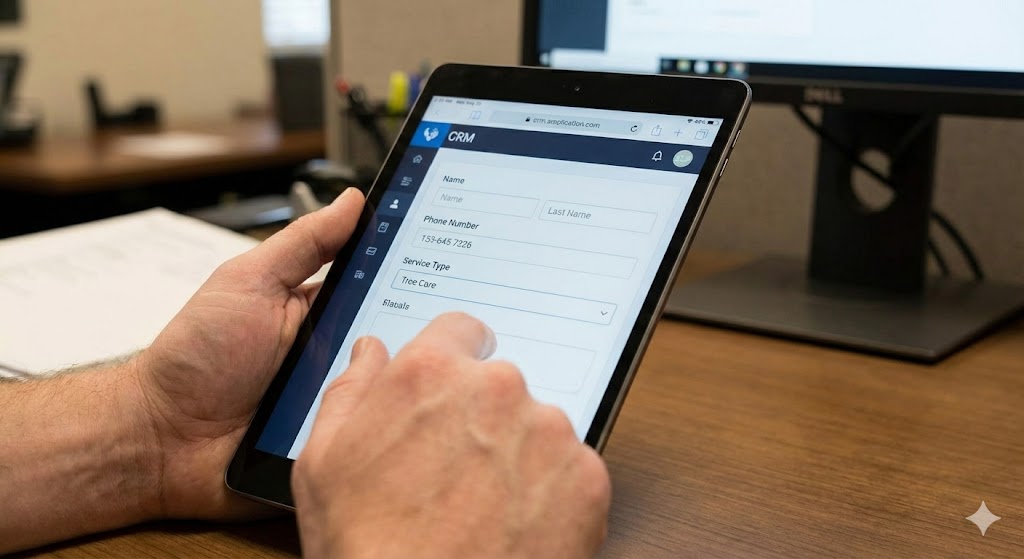
That fast, professional reply is one big way to stand out from slower local competitors. It immediately boosts customer satisfaction before you even visit the property.
2. Estimating On Site
On estimate day, your estimator or you open the mobile app. All past history, notes, and property details show up on the screen.
From there you can use advanced estimating software features built into the app:
- Mark tree locations on a map or site sketch using tools like TreePlotter.
- Add photos, DBH, and condition notes directly from your phone.
- Select line items like tree removal, pruning, or stump grinding from a standard list.
Systems such as ArboStar, Arborgold, SingleOps, and Arb Pro support this style of detailed job building. This service management software makes you look professional.
You send a branded estimate before you leave the driveway. The customer can accept online instead of printing and signing, which helps you save time.
3. Job Scheduling And Crew Dispatch
Once they approve, the job moves to your calendar with one click. No copy and paste. No manual notes are required.
Good CRMs help you manage your resources efficiently:
- Assign crews based on skill and equipment needed.
- Batch work by area so trucks are not criss crossing town all day.
- Send automatic appointment reminders so homeowners are ready.
Platforms such as Jobber, ArboStar, and WorkWave Service do this very well for service management. They allow you to optimize routes using integrations with Google Maps.
Your team starts the day knowing exactly where they are going, what gear they need, and what the client expects. Effective employee management starts with clear communication.
4. Field Work, Photos, And Notes
On site, your crew uses their phone or tablet to open the work order. They see notes about gates, pets, targets, and cleanup.
They can access the system via the app store on their devices to:
- Add before and after photos for proof and marketing.
- Update job status through each stage of the project.
- Add add on work that comes up on site.
Tree specific tools like ArborNote, ArboStar, and Forest Metrix give strong mobile support so crews do not rely on paper sheets. Team access to real-time data prevents costly mistakes.
5. Invoicing, Payments, And Cash Flow
As soon as the work is marked complete, your CRM generates an invoice. In many systems, this is almost instant and allows you to send invoices immediately.
You can streamline the payment methods you accept:
- Email invoices with a link to pay online.
- Collect payments using a credit card on site.
- Track who is late, and send gentle reminders.
For tree companies that still send manual paper bills, this alone can cut days or weeks off your pay cycle. Efficient payment processing means you get paid faster.
If you use outside templates, tools like this tree service invoice template show the level of detail customers now expect. Always ensure your invoice footer includes rights reserved and copyright © information for professionalism.
6. Follow Ups, Reviews, And Recurring Work
Once payment hits, that relationship is just getting started. The best profits are often on repeat visits from a loyal care service client.
Your CRM can help you retain business:
- Send an automatic review request a day or two after service.
- Trigger reminder campaigns for pruning in one or three years.
- Flag upsell chances like stump grinding after removals.
Tools that were built as CRM software for other industries work in a similar way, but tree care software systems add that seasonal and service history piece you really need.
Picking The Right CRM Software for Tree Service
The wrong software is expensive, even if the price is low. It steals time, frustrates your team, and sits unused.
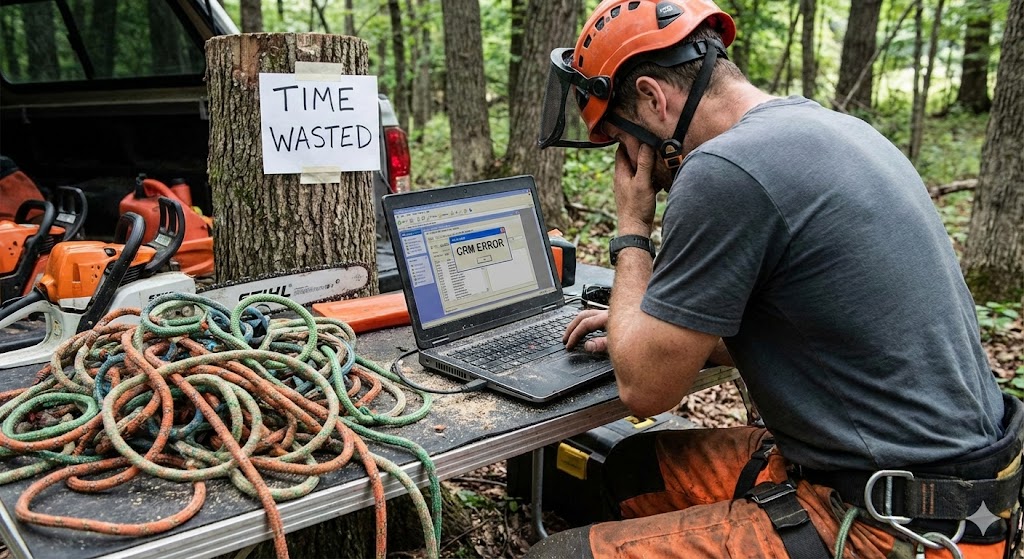
So how do you pick a tool that fits your company today and still works as businesses grow?
Key Factors To Compare
When evaluating options, keep these specific criteria in mind.
- Industry focus: Does the tool clearly speak to tree care, arborists, or at least green industry service work?
- Mobile experience: Crews live in the app all day. The mobile version needs to be fast and simple.
- Estimate and job builder: Can you build multi tree, multi service quotes without a spreadsheet on the side?
- Integrations: Will it talk to your accounting tool and any marketing platforms you use?
- Support and training: Is there live help, onboarding, and simple guides?
Tree care focused vendors such as ArboStar, Arborgold, SingleOps, and ArborNote all pitch themselves as all in one systems for arborists. Many offer a free demo so you can try before you buy.
General field service tools like Jobber, Aspire Landscape, Bella FSM, and WorkWave Service also support tree service businesses and are worth a look if you cross into lawn or landscape.
Sample Comparison Of Tree Service CRM Options
Here is a breakdown of popular software options available on the market.
| Software | Main Focus | Best For |
|---|---|---|
| ArboStar | Tree care and landscaping | All in one platform for estimates, jobs, and analytics. |
| Arborgold | Tree, lawn, and plant health | Shops that need tight office to field sync. |
| SingleOps | Green industry management | Tree services looking to grow with job costing data. |
| ArborNote | Tree care operations | Teams that live on phones and tablets. |
| Jobber | Field service businesses | Small and mid size crews focused on customer experience. |
If you want to zoom out and see how service business tools stack up across industries, guides that list top CRM software options for service companies give useful context. Reviewing these lists helps you understand the broader market of service CRM tools.
Marketing, Leads, And Data: The Growth Side Of CRM
Here is the part most owners underestimate. CRM Software for Tree Service is not just an admin tool. It acts as a powerful marketing engine to impress customers.
Once your data is clean, you stop guessing and start deciding from facts. This clarity helps care businesses thrive.
Smarter Lead Generation And SEO
Because your CRM shows where each job came from, you can see which channels really work. You might track Google Business calls, website form fills, ads, door hangers, yard signs, or referrals.
This helps you double down on what pays and cut what does not. You can capture every email address and use it for future marketing.
If you work with a local SEO team at a real address such as 8 The Green, Ste R Dover, DE 19901, they can connect this data with your search and maps results for a sharper growth plan. This integration helps you improve customer acquisition costs.
Upsells And Lifetime Value
Most tree companies think in one job at a time. But your best profit comes from long term customers who trust your tree care service.
Your CRM can show you data points such as:
- Clients with high value trees who need repeat pruning.
- Past removals where stumps never got ground.
- Commercial contracts that might need storm plans or inspections.
With this list, you can send simple, focused campaigns to people who already trust you. Those jobs are easier to sell and usually more profitable because customers pay for quality relationships.
Performance, Pricing, And Job Costing
Without good data, you might guess that a certain service or area is most profitable. You might be wrong about which care service actually makes money.
CRM and job management tools help you see:
- Average revenue and profit per service type.
- Which crews run the most on time and on budget.
- Where travel time is killing your margin.
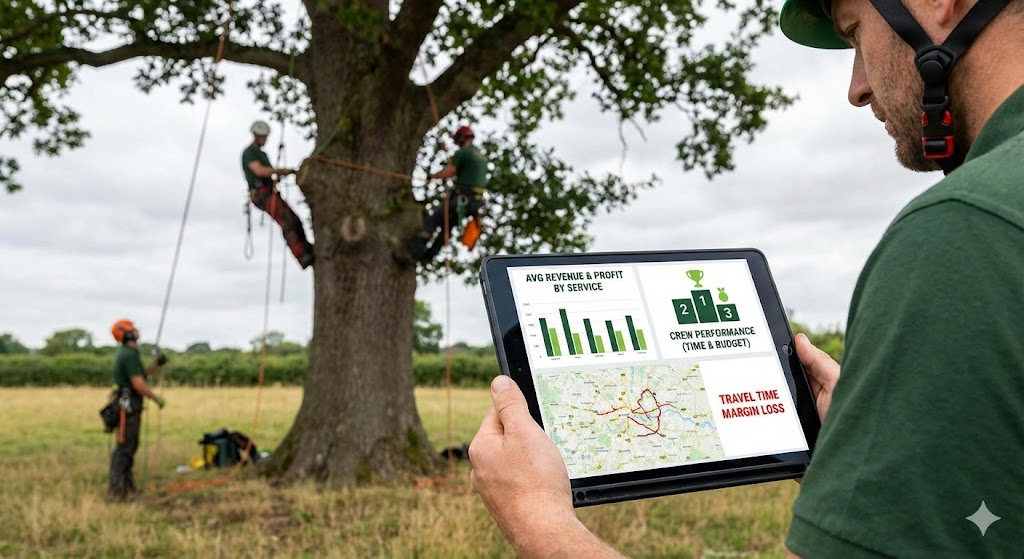
Some platforms like SingleOps and ArboStar give detailed reporting so you can raise prices where you need to and shift marketing to your highest margin jobs. This helps tree care businesses survive tight economic times.
What About Setup, Learning Curve, And Cost?
Many owners worry that adopting CRM software for tree services will be hard, take too much time, or feel like overkill. That fear is fair, but usually wrong if you take the right path to adopt a management platform.
Start Small, Then Build
You do not need to move your entire operation in one week. That is a recipe for frustration when implementing tree care technology.
A smoother path looks like this:
- Start with lead capture and estimating inside the CRM.
- Then shift job scheduling and crew dispatch.
- Next move invoicing and payments.
- Last, layer on automation, marketing, and reports.
- Review the privacy policy terms and set up user roles.
As your team gets comfortable, you phase out old spreadsheets, paper, and scattered tools. This gradual approach makes the transition to service management software manageable.
Training Your Team
The most advanced system will fail if crews hate it or feel confused. You know this from any new gear you roll out for your arborist business.
Look for vendors that give excellent support:
- Live demos and role based training for office and field.
- Simple, picture heavy guides your crews can use on the truck.
- Fast support team response during your busy season.
Some providers, such as ArborNote, even lean heavily into app based workflows because they know your team lives on phones all day. Accessing the customer portal should be intuitive for everyone.
Understanding The Cost As An Investment
On paper, a subscription may look like another bill. In reality, a good CRM can replace many other tools and lost hours spent on mundane tasks.
Most owners start to see payback from:
- More estimates sent and approved each week.
- Faster invoice payment processing and better cash flow.
- Less admin time fixing mistakes or hunting missing details.
When you divide the monthly fee by jobs run, the cost per job is often very small compared to the time and margin you get back. Most do not have a massive upfront fee or a specific credit card required just to see a demo.
Advanced Use Cases As You Grow
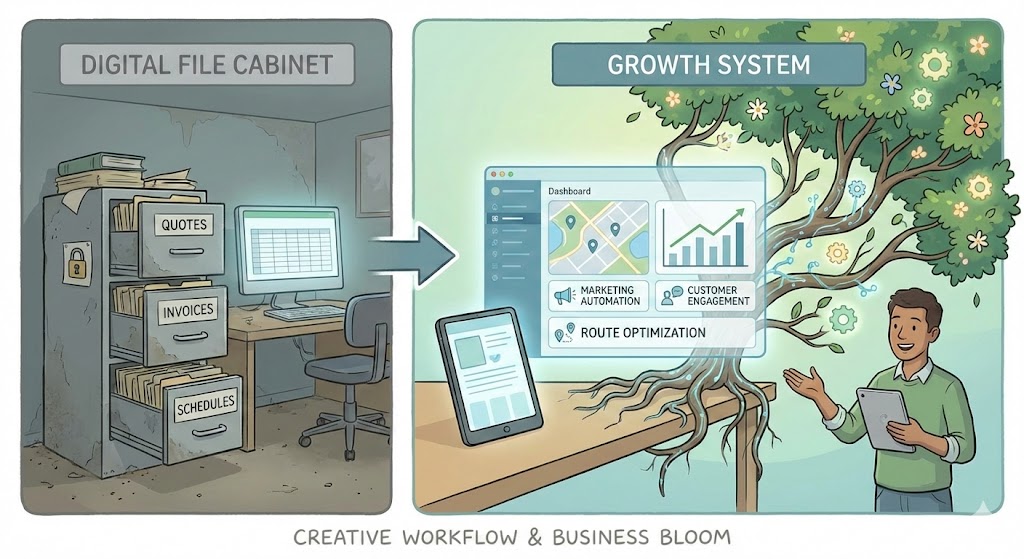
Once your base workflow is smooth, you can get more creative. This is where CRM software for tree services turns into a growth system instead of just a digital file cabinet.
Segmented Email And Text Campaigns
Your data lets you slice your audience by service, city, job size, or time since last visit. You can send targeted email text blasts that actually get opened.
Some example campaigns include:
- Fall pruning reminders to past pruning clients.
- Storm season prep emails to neighborhoods with big canopy trees.
- Thank you notes to high value commercial clients with a yearly recap.
You speak to each group in language that fits them instead of sending one generic blast. This personalized approach helps tree companies build loyalty.
Crew Performance Tracking And Coaching
With clean job data, you can sit down with your crew leaders and review trends. You can analyze travel times, time on site, clean up issues, callbacks, and upsell rates.
Used right, this is not about blame. It is about helping good crews become great and rewarding the teams who are already strong at providing customer support.
Integrations With Other Tree Industry Tools
Some platforms hook into specialist software, like vegetation management tools such as Clearion VM or utility focused systems like Partner Vegetation Management. This creates a holistic business management platform.
If you work with large property managers, councils, or utility clients, that extra mapping or risk detail can be a serious edge. It allows you to provide comprehensive customer data reports.
Common Questions About Tree Service Software
Before you commit to a platform, you might have a few lingering questions. Here are answers regarding policy terms and usage.
Is a Credit Card Required for a Free Trial?
Many software providers offer free trials to let you test the features. Often, there is no card required to start these trials, which reduces your risk. Always check the sign-up page to see if a credit card is needed upfront.
How Secure Is My Data?
Security is critical for any management software. Reputable CRM providers outline their security measures in their privacy policy. Ensure they back up your data and protect your email phone lists.
Can I customize the software?
Yes, most platforms allow you to add your logo and specific terms. You can usually edit the rights reserved section on your invoices. You can also customize the policy terms that appear on your estimates.
Conclusion
CRM software for tree services is not about adding more screens to your life. It is about pulling your entire operation into one clear picture so you can think less about chasing details and more about building a solid, profitable company.
From the first lead to the final invoice, a strong CRM ties your sales, office staff, and crews together so they move like a single team instead of scattered parts. That is how you handle seasonal swings, grow without losing your mind, and become the obvious choice in your market.
If you are ready to run your tree business with the same care you bring to every job site, this is the next system to put in place.
Ready to take your tree business to the next level? Schedule a short call with TreeCareHQ here.